Multiple accounts
Spec
This spec is version 1.2.0. Built is 1.1.0; Changes lists what differs.
Agreed Oct 8 and 9 (#56). Checking and savings accounts, a home screen across them, moving money between them, and paydays that land in several. Example amounts are made up. Credit cards are separate (#57).
Home with two or more accounts
Accounts, money and paydays
Account switcher
Runway short: move money, Savings first
Move money
Savings, lighter
Set payday: date and where it lands
On payday
Home
- One account: Home is today's screen; nothing on this page shows.
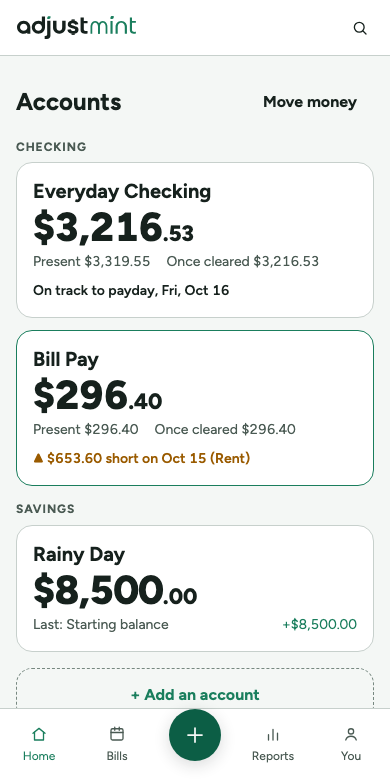
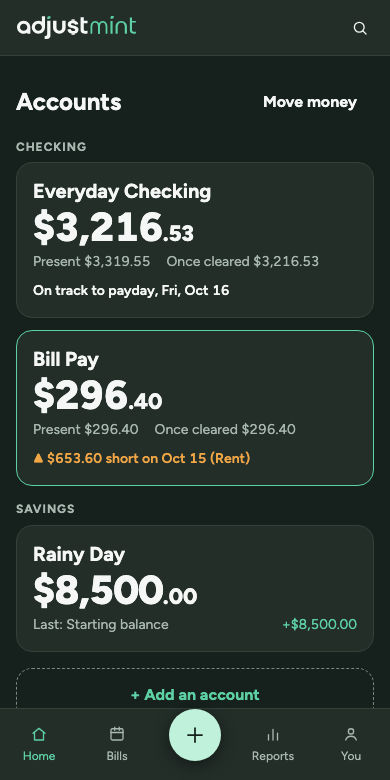
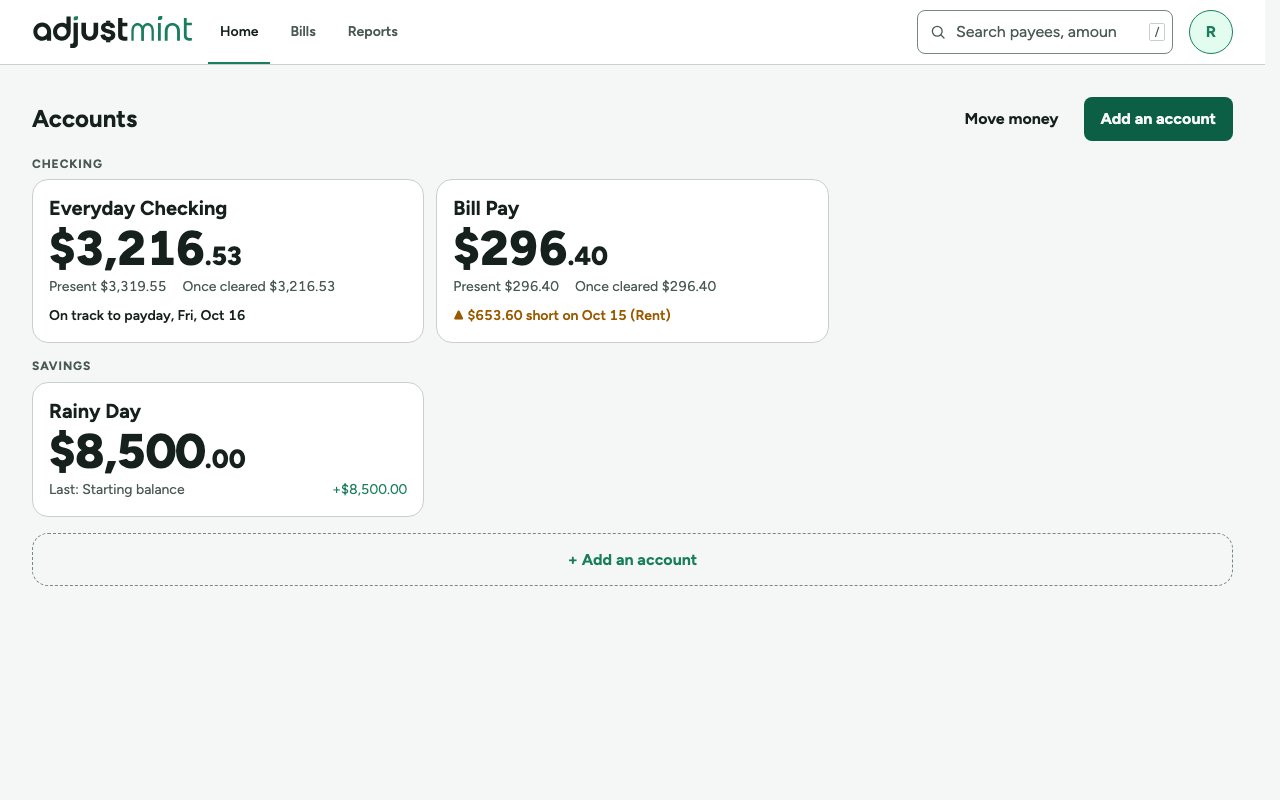
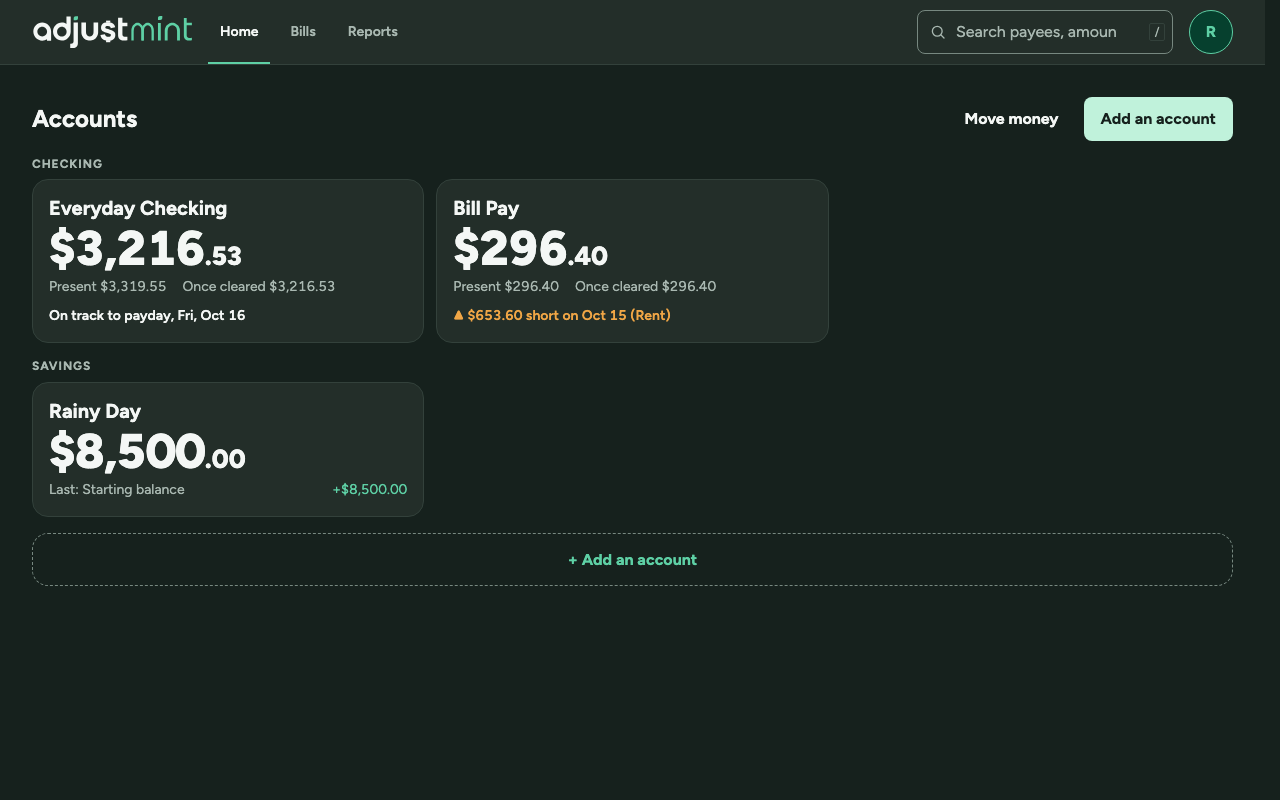
- Two or more: Home is Accounts, a card per account grouped by type (checking first, then savings): Immediate large, Present and Once cleared small, and the runway's status in one line (on track, or short with the bill and date). Savings cards show the last transaction instead.
- "Move money" and "Add an account" at the top; a dashed "Add an account" card ends the list. No total across accounts (for now).
- Opening a card goes to that account's page: today's home screen. Wide screens add "← All accounts" above the balances. Phones keep the logo and the account switcher in the top bar, with no back link (the logo is branding and stays); the Home tab goes back to Accounts, and the switcher jumps straight between accounts.
- Phones: no new tab. The Home tab is Accounts.
Adding
- Add (+, and N on wide screens) is always Add transaction. Inside an account it adds there; from Accounts it opens on the last account used, with the account name at the top of the form, tappable to switch.
- Add an account: name, type (Checking or Savings), starting balance; the same as first setup, without the tour.
Road to payday
- Each checking account has its own runway: its own money, its own bills, its own paydays. Never combined.
- Short before payday: the runway names the bill and date and offers "Move money from Savings" first, then the other checking accounts. Each opens Move money with that account filled in and the shortfall as an editable starting amount.
- Savings has no runway.
Paydays
- Set payday asks the date, how often, and where it lands: any accounts, savings included. No amounts; the "usual amount" field is removed.
- On payday, one dialog lists each of those accounts with an empty amount; each is optional, and "Not yet" brings it back on the next visit. A paycheck already typed into the register shows as added and isn't asked again (Oct 9).
Move money and transfers
- From, To, Amount, Date. Creates a withdrawal in one account and a deposit in the other, linked, in Transfers > Between my accounts, never counted as spending.
- Each side clears on its own. In the register the payee reads "Transfer to Bill Pay" or "Transfer from Everyday Checking"; opening one shows both sides.
Bills and closing
- Every bill has "Paid from" (an account), defaulting to the account you're in or, from the Bills page, to the account used last. The Bills page lists all bills with their account; each feeds its own account's runway.
- Closing an account: only at a zero balance. It is hidden, not deleted; its history stays in exports.
- Savings keeps the full register (Add a transaction) alongside Move money.
Built 1.1.0
The app itself, version 1.1.0, with made-up data. Taken 2026-10-11.
Changes
- 1.2.0, Oct 10 2026: Phones keep the logo on account pages; no "‹ Accounts"; the Home tab goes back to Accounts. (#71)
- 1.1.0, Oct 9 2026: Paydays land in several accounts (no amounts), payday dialog with "Not yet", shortfall suggestions (Savings first), Bills page sections. (#56 part 2, #66)
- 1.0.0, Oct 9 2026: Accounts home, Move money and linked transfers, Paid from, rename and close. (#56 part 1)