First-time walkthrough
Spec
Five coach marks that point at the real controls on the home screen, then a closing Need help tip, plus a one-time tip on the first withdrawal. Designed in Figma (section "Introduction - Walkthrough", node 32:3992). Not modal: the page stays visible and nothing is dimmed.
Steps
| Step | Anchored to | Text | Buttons |
|---|---|---|---|
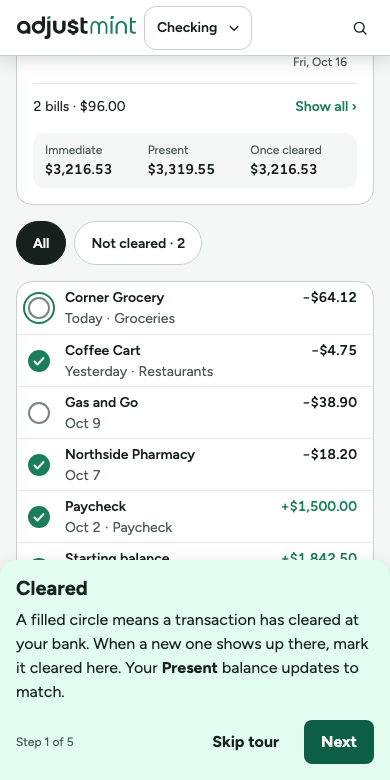
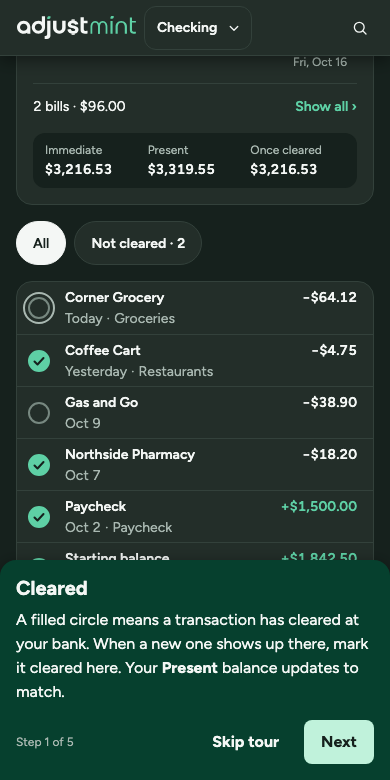
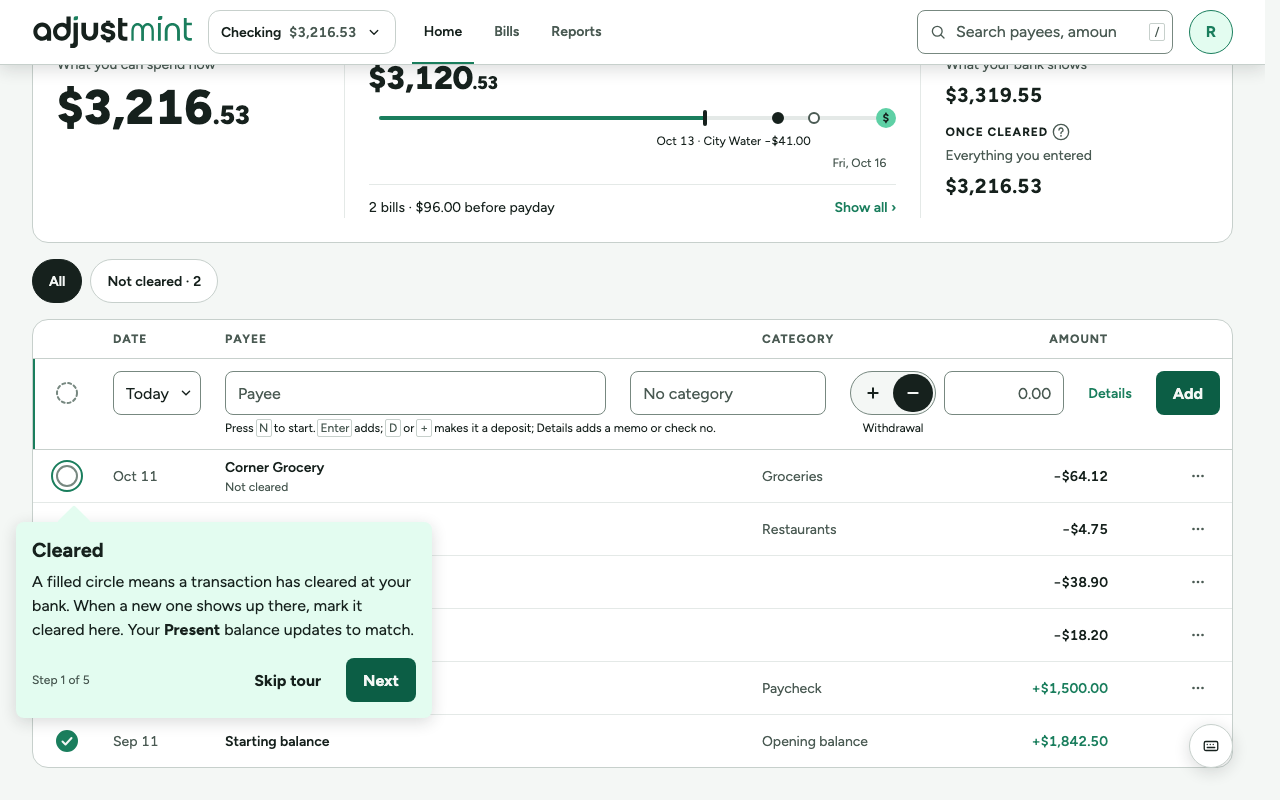
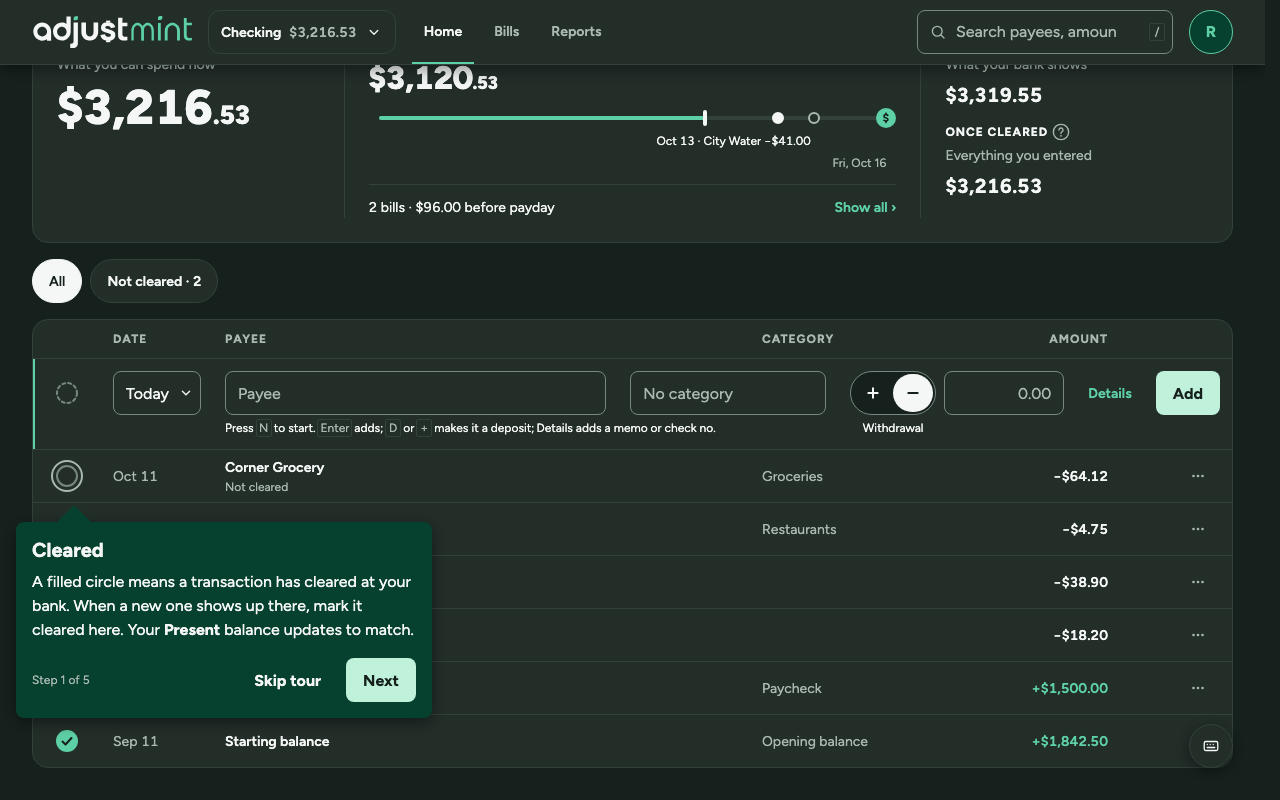
| 1. Cleared | The clear circle of the first register row (the ring wraps the 24px circle, not its 44px tap target) | A filled circle means a transaction has cleared at your bank. When a new one shows up there, mark it cleared here. Your Present balance updates to match. | Skip tour · Next |
| 2. Present | Present balance | What your bank shows. Only transactions you've marked cleared count here, so it should match your bank. If it doesn't, look for one you forgot to enter or mark cleared. | Skip tour · Next |
| 3. Immediate | Immediate balance | What you can spend now: your bank balance minus everything you've spent that hasn't cleared yet. Keep it above zero. | Skip tour · Next |
| 4. Once cleared | Once cleared balance | What your balance will be when everything you've entered has cleared, deposits included. | Skip tour · Next |
| 5. Road to payday | The runway (trial and paid only; skipped for free users) | Set when you get paid next, and we'll show what's safe to spend until then. | No thanks · Set payday |
| After. Need help? | Wide: Immediate's help icon. Phones with the strip: the whole strip. | Wide, and phones with the full balances panel: "The next to each balance explains what it means. Help and the tour are in the profile menu." (phones: "in the You tab"). The icon is the real help icon, read as "help". Phones with the strip: "Tap the balances to see what each one means. Help and the tour are in the You tab." | Okay |
| First-transaction tip | The newly added row (wide); bottom sheet below 900px | Not cleared yet. Until this clears at your bank, your Present balance (what your bank shows) stays higher than your Immediate balance (what you can spend now). When it shows up there, mark it cleared with its circle. Shown once, on the first withdrawal entered as not cleared. Takes the place of the "… added." toast that one time; waits if a toast has a question or the tour is showing. | Got it |
Anatomy
- Built from the Figma component (node 32:3109): wrapper 32:2995 with 12 pointer positions (top, right, bottom, left; start, center, end), content 32:2994.
- Coach mark: surface-accent-subtle, radius md (8px), padding space-lg (16px), shadow-float, max width --panel-max-width (416px), never wider than the viewport minus 32px.
- Title text-heading (20/700); body text-body (16/150%); "Step N of 5" text-caption in text-secondary.
- Buttons: a text button (Skip tour / No thanks) and a primary button (Next / Set payday / Okay).
- Layer: z-popup (80), below toasts.
Behavior
- Starts on the first visit to the home screen after the starting balance is entered.
- Shown once per person, whether finished or skipped; stored in user_preferences like the dismissed tips. "Take the tour" in the profile menu replays it.
- Skip tour, Escape, or finishing step 5 all lead to the Need help tip, shown once.
- Set payday opens the Set payday dialog and ends the tour; No thanks ends it.
- Free users (after the trial) get four steps: Road to payday is skipped and the count reads "of 4".
Accessibility
- Each step is a non-modal dialog labelled by its title; focus moves to it, and returns to the target's control when the tour ends.
- The target gets the 2px border-focus outline with 2px offset, so the step is not shown by position alone.
- Step changes are announced ("Step 2 of 5, Present").
- Respect reduced motion: no sliding between steps.
Words
- "Cleared" is the state; "mark cleared" is the action. Never "check off".
- Balance names are bold in running text, with "your" before or "balance" after where a sentence could misread. Where the name is the title, the body doesn't repeat it.
- Avoid device verbs (tap, click) unless the copy is phone-only.
Phones
- Below 900px every step is a bottom sheet (same title, text, count and buttons) instead of a popover.
- The target scrolls into view above the sheet and gets the focus outline. With Road to payday on, the balances are the strip, so steps 2 to 4 point at its three cells.
- Need help says "in the You tab" instead of "in the profile menu". With the strip there are no help icons, so it says "Tap the balances..." and rings the whole strip.
Built 1.1.0
The app itself, version 1.1.0, with made-up data. Taken 2026-10-11.
Changes
- 1.1.0, Oct 7 2026: Step 1 is "Cleared"; Need help tip points to Help; first-transaction coach mark. (#2, #29–#36)
- 1.0.0, Oct 2 2026: CoachMark walkthrough, 416px, bottom sheet on phones.